


JBL Go 4 - Ultra-Portable, Waterproof and Dustproof Bluetooth Speaker, Big JBL Pro Sound with Punchy bass
JBL Go 4 - Ultra-Portable, Waterproof and Dustproof Bluetooth Speaker, Big JBL Pro Sound with Punchy bass
Ultra-portable JBL Pro Sound with punchier bass: Don't let its little size fool you. The JBL Go 4 packs a serious musical punch. Your friends won't believe how much great JBL Pro Sound comes out of such a small speaker.
BUNDLE & SAVE
Couldn't load pickup availability

JBL Go 4 - Ultra-Portable, Waterproof and Dustproof Bluetooth Speaker, Big JBL Pro Sound with Punchy bass
About this item
About this item
- Up to 7 hours of playtime plus 2 hours with Playtime Boost: Don't sweat the small stuff like charging your battery. JBL Go 4 gives you up to 7 hours of playtime on a single charge. Tap Playtime Boost to add up to 2 more hours to your battery life.
- Waterproof and dustproof: The JBL Go 4's IP67 waterproof and dustproof rating ensures this portable speaker can handle almost any environment, from a poolside party to a seaside picnic.
- Multi-speaker connection by Auracast: Want even bigger JBL Pro Sound? Pair two Go4s for stereo sound, or wirelessly connect multiple JBL Auracast-enabled speakers using Auracast for even bigger sound.
- Made in part with recycled materials: The JBL Go 4 incorporates post-consumer recycled plastic and fabric for the speaker grille. It's also packaged in FSC-certified paper printed with soy ink.


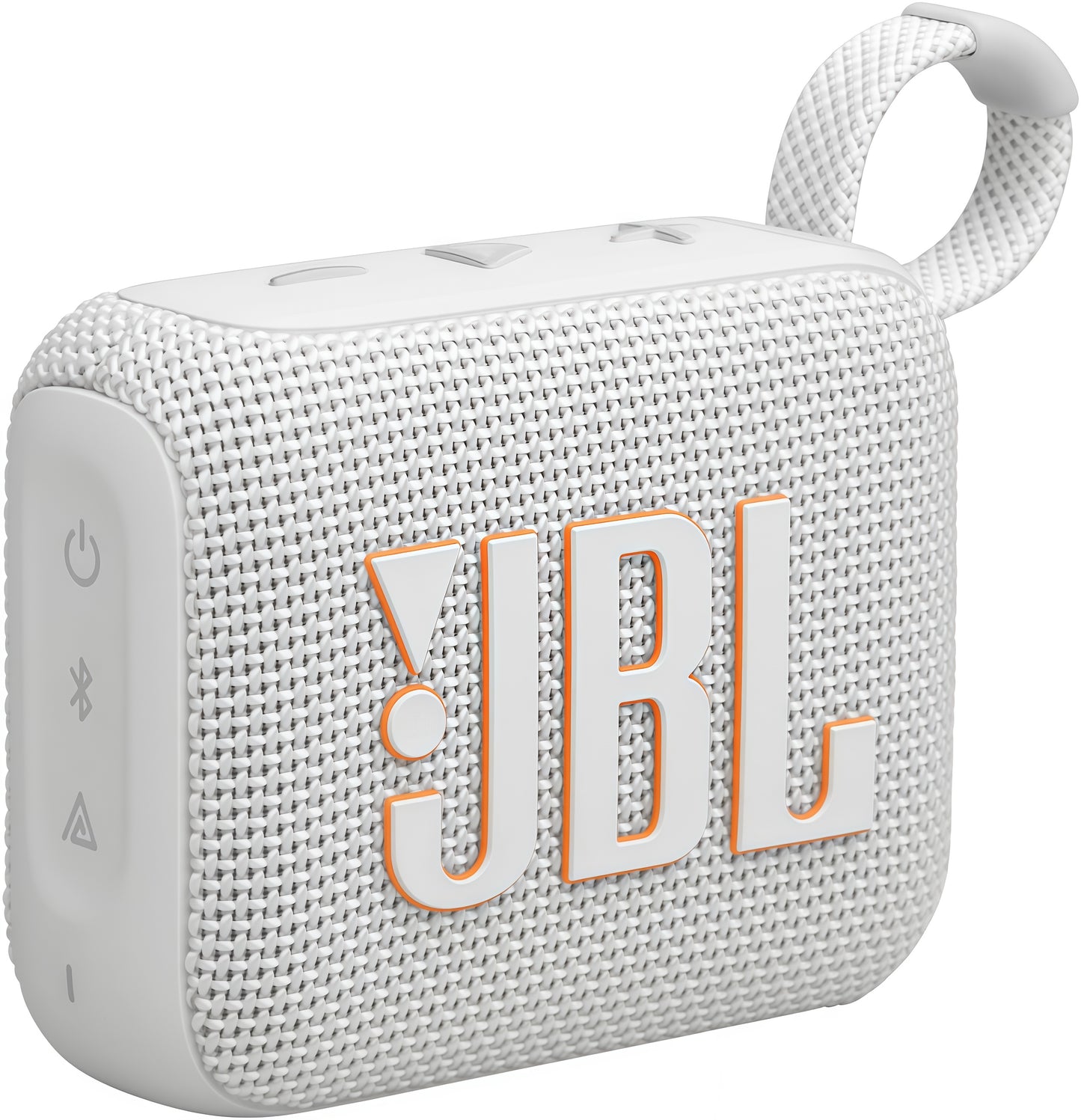

JBL Go 4
The bold, colorful JBL Go 4 ultra-portable Bluetooth speaker fits in the palm of your hand, delivering clear, loud JBL Pro Sound with rich, punchy bass. Its newly redesigned integrated loop makes it easy to bring anywhere. Plus it's waterproof and dustproof, so it loves to go outside. And up to 7 hours of playtime mean it will keep the good times rolling throughout a fun day trip or an evening chilling under the stars.
Features


-

Multi-speaker connection by Auracast™
Want even bigger JBL Pro Sound? Pair two Go 4's for stereo sound, or wirelessly connect multiple JBL Auracast-enabled speakers using Auracast™ for even bigger sound.
-

Made in part with recycled materials
The JBL Go 4 incorporates post-consumer recycled plastic and fabric for the speaker grille. It's also packaged in FSC-certified paper printed with soy ink.
-

Vibrant color options
The JBL Go 4 features exclusive colorways inspired by the latest street fashion and lifestyle trends, introducing completely new shades and combinations.
-

JBL Portable app
Use the JBL Portable app to receive updates, get product support, and unlock features, all straight from your phone. Fine-tune your sound with multiple EQ preset options. Or use the fully customizable equalizer to adjust highs, mids, and lows—so your music is just right for you.


General Specifications
Output power (W)4.2
Audio Specifications
Dynamic frequency response range (Hz)90 Hz – 20 kHz
Dimensions
Dimensions (Width x Height x Depth) (cm)9.4 x 7.8 x 4.2Dimensions (Width x Height x Depth) (in)3.7 x 3.0 x 1.7Weight (kgs)0.19Weight (lbs)0.69
Control and Connection Specifications
Bluetooth frequency2400 MHz – 2483.5 MHzBluetooth profilesA2DP V1.4, AVRCP V1.6Bluetooth transmitted modulationGFSK, π/4 DQPSKBluetooth transmitter power≤ 9 dBm (EIRP)Bluetooth version5.3
Battery
Charging time (hrs)3Maximum music playing time (hrs)7
Q&A
Does my Speaker have Speakerphone/Voice Assistant Functionality?
Does my Speaker have Speakerphone/Voice Assistant Functionality?
This product does not feature speakerphone or voice assistant functionality as it does not have a microphone.
How to avoid Bluetooth Interference or Interruptions
How to avoid Bluetooth Interference or Interruptions
• Always have clear line of sight between your Bluetooth device (speaker, headphones etc.) and source device (Smartphone/tablet/PC etc). Be aware of obstacles in front of your devices.
• Try to shutdown other products that have Bluetooth, but are not being used. They are often the reason for interference even though they are not being used.
• Do not stand too close to your Wi-Fi router since a Wi-Fi signal is stronger and in many cases will "overlap" the connection.
• Be aware of walls around you. Concrete and brick walls will often interrupt the signal, as it cannot pass through such thick walls.
• Bluetooth signals cannot travel through water, which includes the human body. Make sure with wireless headphones to keep your source device and the receiver on the same side of your body.
• Open spaces such as parks can cause issues for your devices, as open air is "bad" for any Bluetooth signal if it cannot reflect from objects around you.
Does this speaker have an Aux Input?
Does this speaker have an Aux Input?
This speaker does not have an Aux Input, so no analog connection is possible.
Track Control Information
Track Control Information
To skip tracks forward, double click the PAUSE/PLAY to advance to the next track. Please note: You can only skip tracks forward. This speaker does not have the capability to skip to the previous track.
Charging the Speaker When Wet
Charging the Speaker When Wet
You will need to dry the charging port completely before plugging in power for charging.